Your phone
is full again.

Roomier finds the copies, the near-identical shots, the blur and the giant videos in your library, and clears them out in a few taps. Nothing leaves your phone.

Coming soon to the App Store See how it works
No account Nothing uploaded iOS confirms every deletion 30 days to change your mind
Roomier's home screen: iPhone storage bar, Quick clean showing 246 MB safe to clear, and the Make room fast list of duplicates, similar shots, screenshots, blurry photos and videos
246 MB safe to clear107 photos, picked for you
Best shot kept3 similar, sharpest one stays
Recently Deleted30 days to bring anything back

How it works

Three screens, no setup. The scan starts the moment you allow access to your photos and keeps running while you look around.

01

Scan on your phone

Roomier reads your library and groups duplicates, similar shots, blurry photos, screenshots and big videos. It uses Apple's on-device Vision framework, so nothing is uploaded and you can start while it is still working.

Home screen with the Make room fast list
02

Check the list, then clear out

Quick clean picks what is safe to remove and keeps the sharpest shot of every group. Every item shows its size. Untick anything, then tap Clear out. iOS asks once more before it happens.

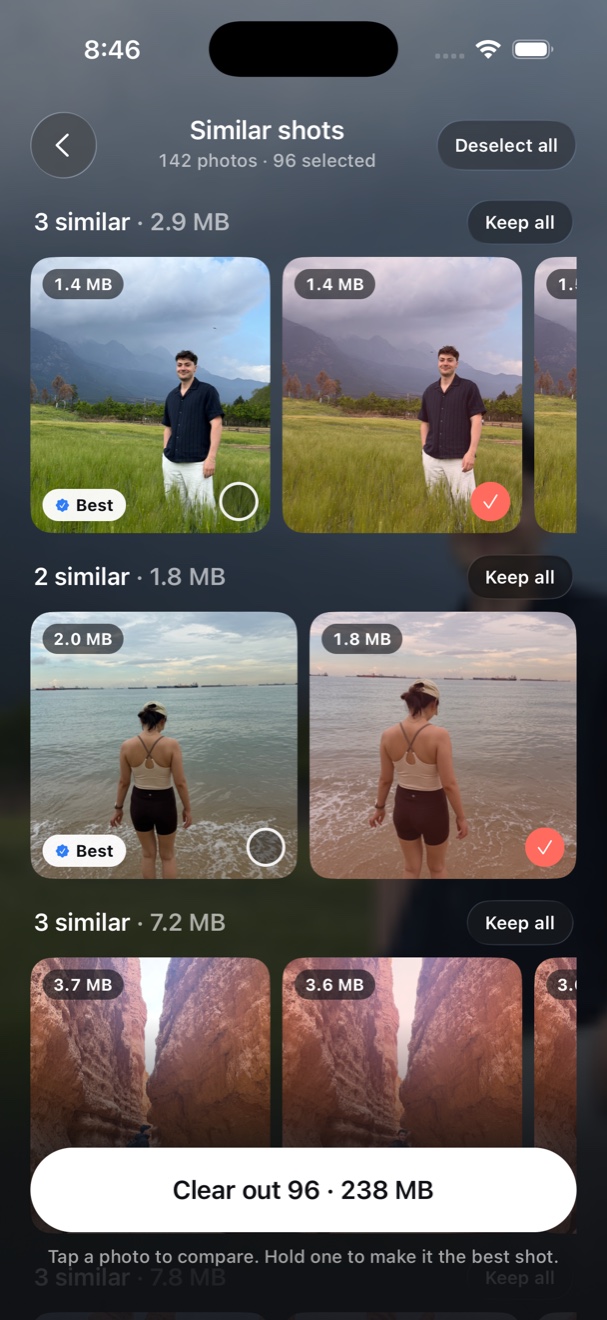
Similar shots review with the best photo marked and the rest selected
03

Swipe through the rest

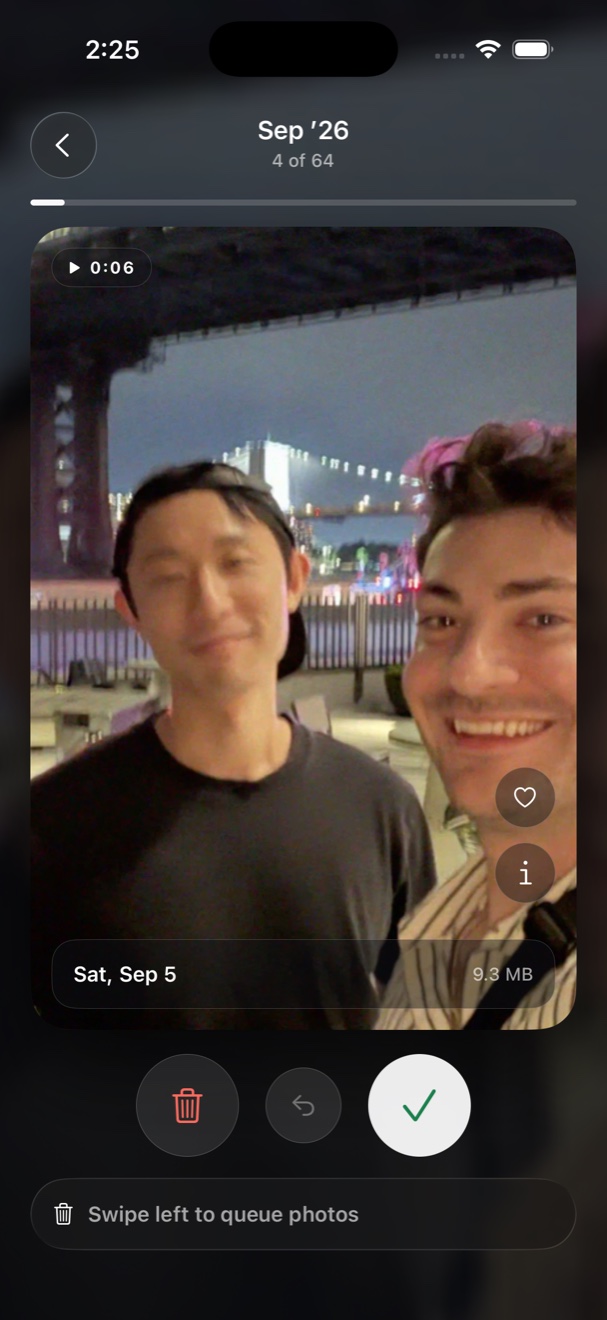
Go month by month. Left to clear out, right to keep, tap to undo. Roomier remembers where you stopped, and cleared photos sit in Recently Deleted for 30 days.

Swipe deck showing a photo card with keep and clear out buttons

What it finds

Each finder is its own list with real sizes, so you always know what you get back.

Quick clean

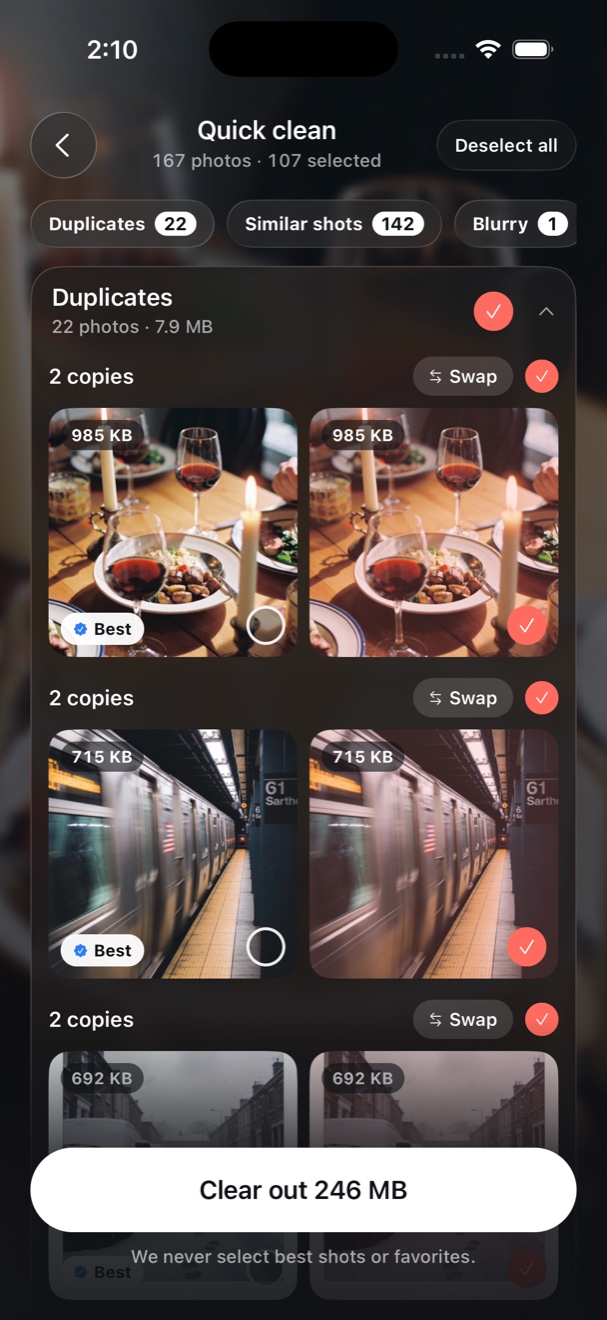
One list of everything that is safe to remove, sorted into sections, with the space you get back on the button. Nothing is ticked that you favorited or that is the best of its group.

Quick clean list with duplicates selected and a Clear out 246 MB button

Duplicates

Exact copies, from re-saves and re-downloads. Keep one, clear out the rest.

Similar shots

Bursts, retakes and the five versions of the same view. Grouped by look and by time, with the sharpest one marked Best and kept.

Blurry

Photos with no sharp edges, worst first, so the obvious ones go quickly.

Screenshots

Every screenshot in one place, with sizes, so old boarding passes and receipts can go.

Big videos

Compress 4K videos to 1080p HEVC on the phone. A 33 MB clip becomes 10 MB and keeps every second.

Pro

Live to still

Turn Live Photos into regular photos and drop the three-second clip you never play.

Pro

Swipe by month

A deck for every month, plus Recents, Random and On this day. Each card shows the date and the size.

Favorites are safe

Anything you marked as a favorite in Photos is never suggested, in any finder.

A trash you control

Swiped items wait in Roomier's trash until you tap Clear out. Then iOS moves them to Recently Deleted for 30 days.

Chat photos

Photos saved from WhatsApp, WeChat, Messages and other apps, with the app named on each one. Memes and forwards go in one pass.

Home-screen widgets

Storage and battery rings on your home screen, in three colours. Set the style in the app and add the widget with one long-press.

iPhone home screen with the Roomier widget showing storage and battery rings

Pick up where you stopped

Every deck remembers its place. Come back a week later and Roomier offers the month you were in, at the card you left.

Nothing leaves your phone.

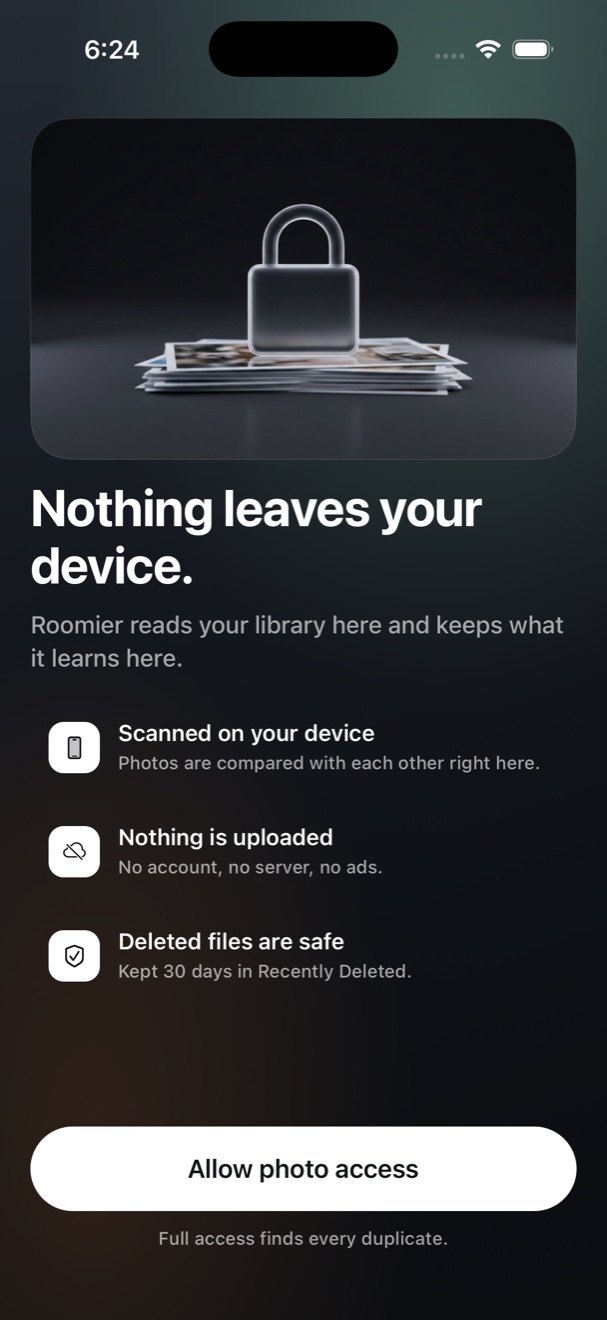
There is no account, no server holding your pictures, and no analytics company watching what you do. The whole app runs inside iOS's own frameworks.

Read the privacy policy
  • Scanned on the deviceApple's Vision framework compares your photos with each other, on your iPhone.
  • No uploads, no ads, no trackersThe app talks to Apple for purchases and to nobody else.
  • iOS asks before anything is deletedRoomier never removes a photo on its own. Every clear-out ends with the system prompt.
  • Delete the app, and everything it kept is goneThe index lives in the app's own storage. Your photos stay in Photos.

Questions

Does Roomier delete anything on its own?

No. It only suggests. Nothing changes until you tap Clear out, and then iOS shows its own confirmation. Cleared photos and videos go to the Photos app's Recently Deleted album, where they can be recovered for 30 days.

Are my photos uploaded anywhere?

No. The scan runs on your iPhone using Apple's Vision framework. There is no account and no server. Only purchases go through Apple, and Apple never shares your card details with us.

How does it decide what is "similar"?

Roomier compares how photos look, using on-device image feature prints, and when they were taken. Shots that look alike and were taken within minutes of each other form a group. The sharpest one is marked Best and stays unticked; you can swap the pick or untick anything before clearing out.

What does compressing a video do?

It re-encodes the video on your phone at 1080p in HEVC, which is usually a third of the size or less. After you confirm the iOS prompt, the compressed copy replaces the original and the original goes to Recently Deleted for 30 days.

How do I cancel or restore a purchase?

Subscriptions are managed by Apple. On your iPhone open Settings, tap your name, then Subscriptions. To bring Pro to another device, tap Restore purchases in Roomier's Settings while signed in with the same Apple ID.

Which iPhones does it support?

Roomier runs on iPhones with iOS 16.4 or later. Similar-shot detection uses Apple's Vision framework and works best on recent models.